

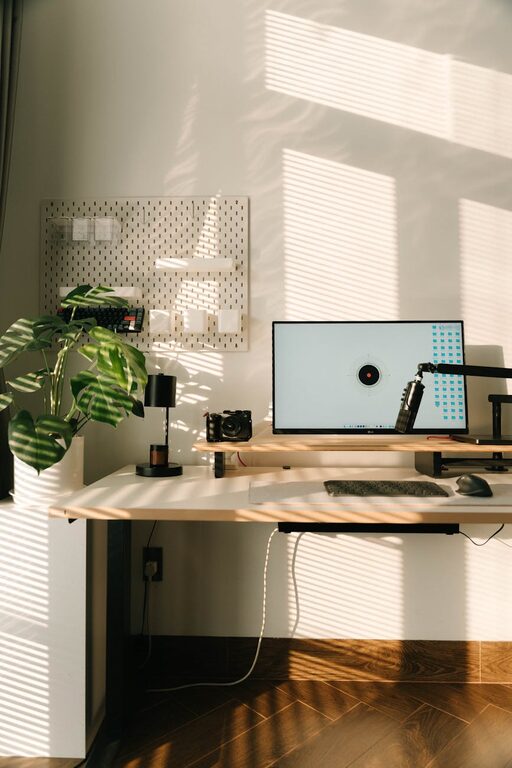
Creating a productive home office environment is essential for anyone working or studying remotely. With the right setup, you can boost your focus, improve comfort, and maintain a healthy work-life balance. Whether you have a dedicated room or a small corner in your home, these tips will help you design a space that supports your productivity and wellbeing.
Choose the Right Location
Finding the ideal spot in your home for your office is the first step. Here are some factors to consider:
– Natural Light: Select a space near a window to take advantage of natural daylight, which helps reduce eye strain and improve mood.
– Minimal Distractions: Choose a quiet area away from busy household activities or noise to maintain concentration.
– Space for Equipment: Ensure there’s enough room for your desk, chair, computer, and any other tools you need.
If you don’t have a fully separate room, a defined corner or nook with clear boundaries can work well.
Invest in Comfortable and Ergonomic Furniture
Comfort plays a big role in staying productive throughout the day. Consider the following:
– Ergonomic Chair: Invest in a chair that supports your lower back, encourages good posture, and can be adjusted to your height.
– Desk Height: Your desk should allow your arms to rest comfortably at about a 90-degree angle when typing.
– Monitor Position: Place your monitor at eye level to keep your neck straight and avoid strain.
Comfortable furniture reduces physical discomfort and helps you focus longer without fatigue.
Organize Your Space Efficiently
Keeping your workspace tidy can greatly improve productivity. Try these organization tips:
– Use Storage Solutions: Shelves, drawers, and filing cabinets can keep documents and supplies out of sight but easily accessible.
– Declutter Regularly: Remove unnecessary items and papers to keep your desk clean.
– Cable Management: Use clips or ties to organize cords and prevent tangling.
A clean and organized area reduces stress and distractions, making it easier to focus.
Optimize Lighting for Work
Good lighting is essential for productivity and comfort:
– Natural Light: As mentioned, natural light is ideal and should be maximized.
– Task Lighting: Use adjustable desk lamps to illuminate detailed work without causing glare.
– Avoid Screen Glare: Arrange lighting so it doesn’t reflect off your computer screen.
Proper lighting helps reduce eye strain and keeps you alert.
Personalize Your Workspace
Adding personal touches can make your home office more inviting and motivating:
– Plants: Small indoor plants improve air quality and add a pleasant aesthetic.
– Artwork or Photos: Choose images that inspire or calm you.
– Color Scheme: Use colors that keep you energized or relaxed, depending on your work style.
A personalized space encourages you to spend time there and boosts your overall mood.
Create Boundaries Between Work and Home Life
Maintaining clear boundaries helps you avoid burnout and remain focused during work hours:
– Define Work Hours: Set specific start and finish times, and stick to them.
– Designate Your Workspace: Use your home office only for work to create a mental separation.
– Take Breaks: Step away regularly to stretch, walk, or relax.
These boundaries help you stay productive yet prevent work from taking over your personal life.
Minimize Digital Distractions
Your devices can be both a help and a hindrance. Try these strategies:
– Turn Off Non-Essential Notifications: Disable alerts that are not related to work.
– Use Website Blockers: Apps can help limit access to distracting websites during work hours.
– Schedule Check-Ins: Designate specific times to check email and messages.
Managing digital distractions allows you to maintain concentration on tasks.
Maintain Good Air Quality and Temperature
A comfortable environment includes fresh air and appropriate temperature:
– Ventilate Regularly: Open windows to circulate fresh air when possible.
– Control Temperature: Use a fan, heater, or thermostat to keep the room at a comfortable level, typically between 68–72°F (20–22°C).
– Avoid Strong Odors: Strong scents can be distracting or unpleasant during long work sessions.
Good air quality and temperature support physical comfort and focus.
Use Technology to Enhance Productivity
Take advantage of tools and apps designed to boost efficiency:
– Task Management Apps: Keep track of to-do lists and deadlines.
– Communication Tools: Use video calls, chat apps, or collaborative platforms to stay connected with colleagues or classmates.
– Time Management: Try techniques like the Pomodoro method using timers or apps.
Incorporating these technologies helps you stay organized and connected.
—
By carefully designing your home office environment focusing on comfort, organization, lighting, and boundaries, you can significantly enhance your productivity and work satisfaction. Remember, the ideal workspace is personal and flexible—adjust these tips to fit your unique needs and preferences for the best results.